




Finding a rental is one of those tasks that looks simple until you actually start comparing neighborhoods, budgets, commute times, and lease details. I spent time using Apartments.com Rental Search as a practical home-finding tool, and my overall impression is that it works best as a broad starting point rather than a complete decision-making system. It puts apartments, houses, condos, and townhomes in one place, which makes the first stage of a search much less scattered.
The app is free, aimed at everyone, and belongs in the House & Home category. It is developed by CoStar Apartments.com Android Team, and its scale is reassuring: it has passed five million installs, with a 4.7 average from around 98 thousand ratings and about 11 thousand written reviews. Those figures suggest that it is not a niche directory, although popularity alone does not guarantee that every listing will suit your situation.
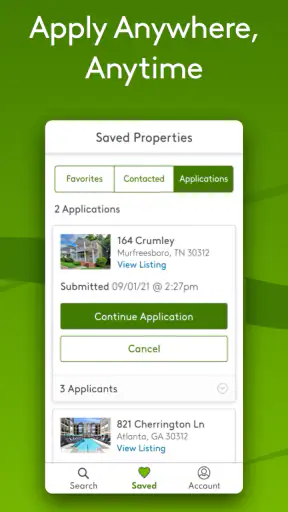
Apartments.com Rental Search is most useful when I want to understand what a rental market looks like before contacting anyone. I can begin with a general area, narrow the search, compare different property types, and save promising options for a second look. The experience feels more organized than opening separate browser tabs for every building or local listing page.
How the app feels in everyday rental hunting
A strong first pass across different property types
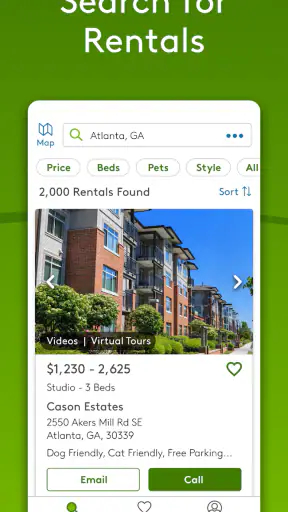
The biggest practical advantage is breadth. A renter who is undecided between an apartment, a condo, a townhome, or a detached house does not need to commit to one search path immediately. I can explore all of those possibilities together and then decide which compromises make sense. That is especially helpful when the ideal neighborhood is expensive and I need to see whether a different property type offers better value.
I found the app better suited to exploration than to a quick, single-result search. If I already know the exact building and only need a phone number, a property’s own website may be faster. If I am still asking, “What can I realistically rent in this area?” the wider search is much more useful.
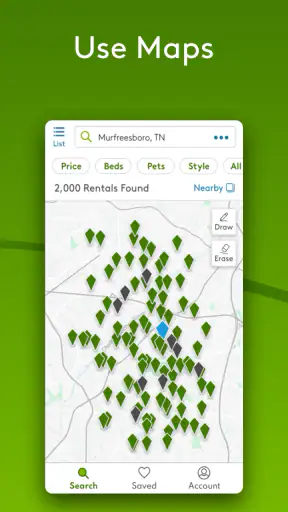
A realistic example is moving for a new job with only a rough idea of where to live. I would start by searching near the workplace, then widen the map rather than immediately lowering the budget. Looking at apartments and townhomes together can reveal that a slightly longer commute changes the available space more than expected. That kind of comparison is where the app earns its place on my phone.
Search discipline matters more than endless scrolling
Rental apps can encourage passive browsing: swipe through attractive photos, open several listings, and forget why each one looked promising. I get better results when I decide on a few non-negotiables first. For example, I might separate “must have” requirements from preferences such as a balcony, updated kitchen, or a particular view.
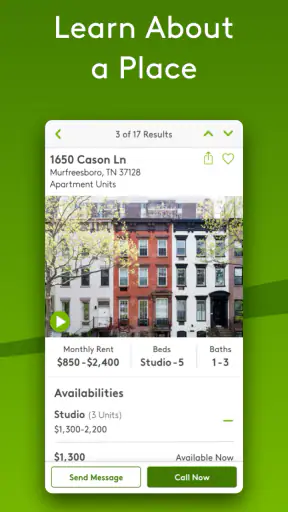
Once I have a shortlist, I compare listings using the same questions: Is the location practical? Does the advertised price fit my full monthly budget? Are the photos showing the actual unit or a representative space? Is the listing detailed enough to justify contacting the property? This workflow prevents the app from becoming an attractive but unstructured catalog.
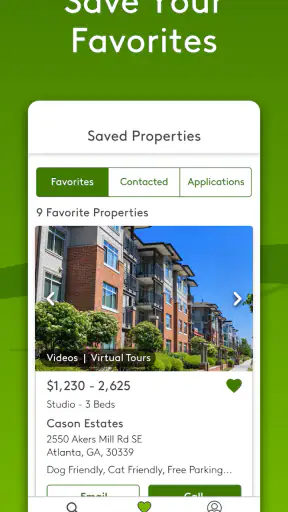
One useful habit is to revisit a saved group after a break. Listings that looked exciting during a long browsing session often seem less convincing when compared side by side. I also note the reason each property made the shortlist, because memory tends to preserve the nicest photo rather than the most important detail.
What the current version tells me about the product
The current Android version is 16.0.0, and the app requires Android 10 or later. That places it comfortably in the modern Android environment, but it also means anyone using an older phone should check compatibility before planning a move around it. The app has been available since January 17, 2012, so it is a mature service rather than a newly launched experiment.
That long presence changes how I judge it. I expect a rental search app with this history to be useful for repeated searches, not merely attractive during a first session. At the same time, a mature marketplace can contain listings from many different property managers, so the quality of the information may vary from one result to another. The app can organize discovery, but I still treat each listing as an invitation to verify details.
What has changed without changing the basic job
The most important evolution is not a dramatic change in purpose. The app remains focused on helping people find rental properties, while the current release represents a maintained version of a service that has been around for years. I see that as a positive for renters who want a familiar search destination, but it also means the core value is still the marketplace itself: coverage, useful filters, readable listing information, and a manageable way to compare possibilities.
I would not install it expecting a replacement for every part of the rental process. It is a discovery and comparison tool. The later stages still involve communicating with the property, checking the exact unit, understanding the lease, and confirming the move-in costs. That distinction is important because it keeps expectations realistic.
How it affects someone who already uses the service
For an existing user, a maintained current version should feel less like learning a new product and more like continuing a familiar search routine. That is valuable when timing matters. A person who is already tracking neighborhoods can return to the same general process instead of rebuilding a search from scratch in an entirely different service.
The practical benefit is continuity: I can use the app during the early research stage, return when my move becomes more immediate, and compare the same kinds of rental options again. The limitation is that continuity does not remove the need for fresh verification. Availability changes, prices can move, and a listing that was useful last week may no longer represent the property I would actually rent.
I also think existing users should resist relying on one saved search or one favorite property. A rental market changes quickly, and a broad app is most helpful when used as a living shortlist rather than a permanent record. I would periodically clear out options that no longer match my budget or timing, then rebuild the list around current priorities.
Where the experience can become frustrating
The main weakness is inherent to marketplace searching: a promising result is not the same as a confirmed opportunity. Photos may make a property appear ideal, yet the exact unit, availability, fees, or lease conditions still need attention. Anyone who wants certainty before making contact may find this stage tiring.
There is also a risk of being distracted by attractive properties outside a sensible budget. A broad catalog makes it easy to justify stretching for a nicer kitchen or a more central location. I recommend calculating the full monthly commitment before treating a listing as realistic, rather than using the advertised rent as the entire cost of living there.
The app is less suitable for renters who need highly personal guidance. Someone relocating to an unfamiliar city may still want advice from a local agent, a trusted contact, or a neighborhood-specific community. Apartments.com Rental Search can show available possibilities, but it cannot replace a human who understands the street, building, commute, or local trade-offs.
Three ways I would use it more intelligently
First, I would search in layers instead of trying to create one perfect query. I would begin with the area and broad property types, then narrow based on what the market actually offers. This avoids rejecting useful alternatives before I know whether my original expectations are realistic.
Second, I would keep a written comparison outside the app for the finalists. I would record the advertised rent, approximate travel time, property type, questions to ask, and the date I checked the listing. This is particularly useful when several homes have similar photos but very different practical trade-offs.
Third, I would treat contact as a verification step, not as the final formality. Before getting emotionally attached to a property, I would ask whether the exact unit shown is available, what costs are due at move-in, which utilities are separate, and whether the advertised terms apply to the unit I am considering. These questions protect against making a decision based only on a polished listing.
Who will get the most from it
I recommend it most strongly to renters who are still mapping out their options. First-time renters can use the range of property types to learn what their budget buys, while experienced renters can use the broad search to compare neighborhoods or decide whether a house or townhome is worth considering instead of an apartment.
It is also a sensible companion for someone planning a move from another city. A remote search cannot tell me everything I need to know, but it can help me build a list of areas to investigate before traveling. I can compare the shape of the market first, then use visits or calls more efficiently.
People who should skip it, or at least avoid using it alone, are renters with extremely specialized requirements or those who need a confirmed, immediate placement. If the search depends on a very narrow accessibility need, a particular school boundary, a highly specific lease arrangement, or an exact move-in date, I would use the app as one source and verify every important condition directly.
How it compares with the usual alternatives
Compared with searching through individual property-manager websites, the app is more convenient for broad comparison. I do not need to know which companies operate in an area before I begin. The trade-off is that a property’s own website may provide more direct context for that building, while the app is better at helping me discover it in the first place.
Compared with local listing groups or informal classified posts, Apartments.com Rental Search feels more structured for browsing multiple property types. Informal sources can sometimes reveal small landlords or unusual opportunities, but they may require more effort to organize and verify. I would use those sources alongside the app only if I had time to investigate carefully.
Compared with a rental agent, the app gives me more independence and lets me browse at my own pace. An agent may be better when I need local interpretation, scheduling help, or advice about a complicated move. The choice depends on whether my biggest problem is discovering listings or managing the details around them.
Questions I would answer before installing
Is it free to use? Yes, the app is available at no cost. That makes it easy to keep as a research tool even if I eventually contact properties through another channel. Free access does not remove the normal costs involved in renting, of course, so I would still plan for deposits, fees, moving expenses, and ongoing bills separately from the search itself.
Can it help with more than apartments? Yes. Its search covers apartments, houses, condos, and townhomes for rent. That range is one of its most useful qualities because the best answer may not match the type of home I originally imagined.
Is it appropriate for younger users? The content rating is Everyone, but the practical audience is people searching for housing or helping someone do so. A younger person can browse with an adult, yet any eventual rental agreement and financial commitment should be handled by someone legally able to enter it.
Will it guarantee that a listing is still available? I would not treat any rental search app as a guarantee. I would contact the property and confirm the exact unit, current availability, price, fees, and lease terms before making plans. This is the single most important habit for avoiding disappointment.
Should I use it as my only rental resource? I would not. It is a strong first stop, especially for comparing a wide area, but a careful search should include direct verification and, when necessary, local sources or professional advice. The app saves discovery time; it does not eliminate due diligence.
What I would watch in future updates
For future releases, I would pay attention to how effectively the app keeps search results useful as a renter’s shortlist becomes more specific. Better clarity around listing freshness, unit-level details, and the difference between advertised information and confirmed availability would matter more to me than cosmetic changes.
I would also watch how well the experience serves renters who compare several property types at once. That is where the app has a natural advantage, and improvements that make those comparisons easier would have a direct effect on real decisions. The important question is whether each update reduces uncertainty, not simply whether it adds another browsing option.
After using it, my recommendation is straightforward: install Apartments.com Rental Search if you want a broad, free way to understand the rental choices around you. Use it to form a realistic shortlist, not to make a final decision from photos alone. Its mature history, current Android support, and large audience make it a credible starting point, while the remaining work—verification, budgeting, and judging the neighborhood—still belongs to you.


